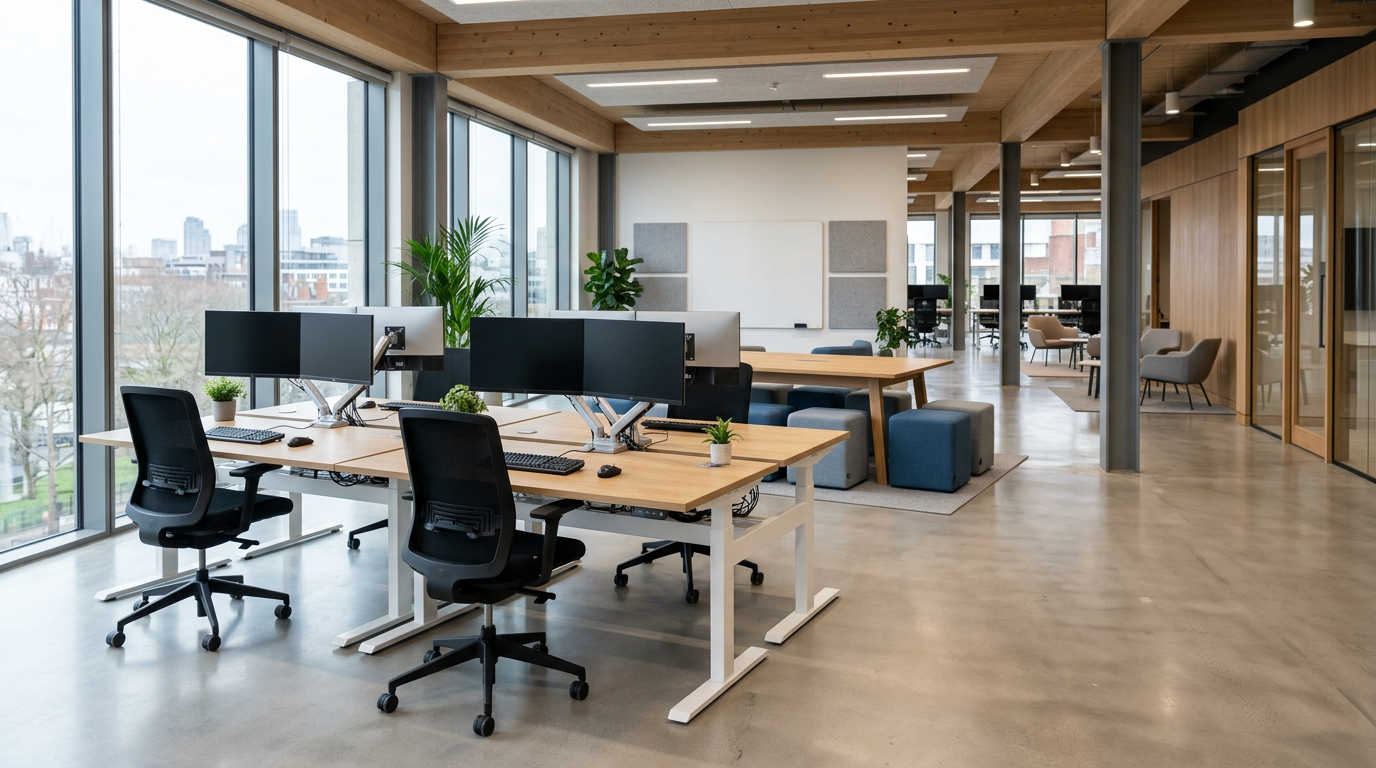
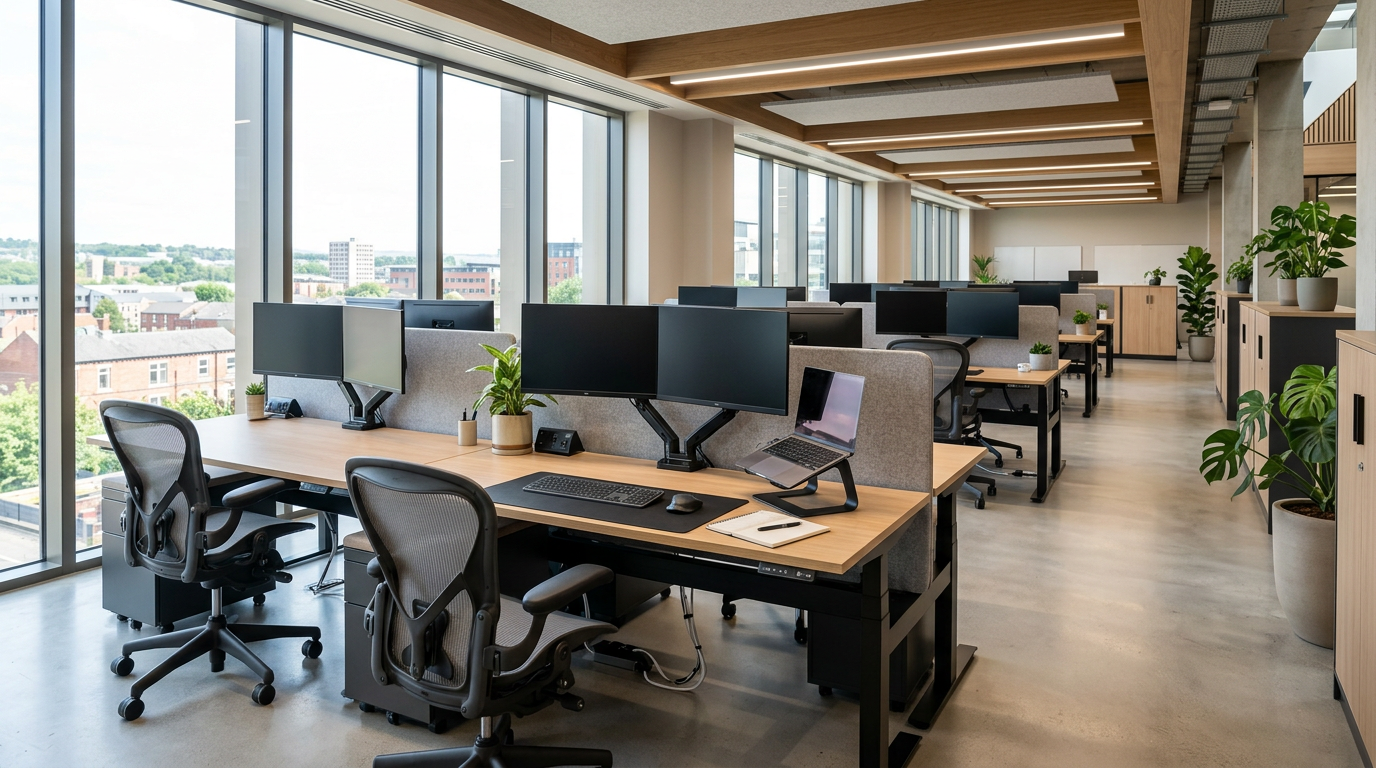
If you are running an office in Blackburn or wider Lancashire, you probably feel the pressure from both sides. Staff members mention sore backs, tired eyes, or struggling to focus by mid-afternoon. At the same time, you have a budget to protect and a long list of other priorities. Ergonomic office furniture can sound like a nice extra, not a practical first step.
This is where many local SMEs, office managers, and refurbishing businesses get stuck. You know your current furniture is not quite right, but the market is full of chairs, desks, and accessories that all claim to be “ergonomic”. It is easy to buy a few upgraded chairs, only to find that nothing much changes day to day.
Ergonomics is not just about a better chair. It is about how the whole workspace works together.
In a typical Blackburn office, you might have a mix of longer-term desk users, managers in and out of meetings, and staff who split their week between the office and home. If you treat furniture as a set of separate purchases, you end up with a patchwork of desks and chairs that look fine on paper but do not support people properly in practice.
This blog is written to cut through that confusion. The aim is simple. To help Blackburn businesses understand what ergonomic office furniture really means, how desks, seating, and accessories link with your layout, and where to focus your budget so you see a clear improvement in comfort and productivity.
We will look at:
- What sits under the heading “ergonomic office furniture”, beyond the obvious office chair
- How layout, movement, and furniture choices affect daily comfort and output
- Common mistakes that leave staff uncomfortable and money wasted
- Key features to look for when you are short on time and funds
- Why using a local Blackburn supplier can reduce risk and make ongoing support easier
If you want more than a quick catalogue order and would rather put in place a practical, long-term workspace, this guide will give you clear, local, and experience-based direction. For businesses that are also reviewing their overall office layout, you may find our broader guidance on office layouts and productivity useful alongside this article.
Defining Ergonomic Office Furniture: Beyond Just Chairs
Ergonomic office furniture covers every item that helps a person work in comfort for a full day, not just the chair they sit on. When we talk about ergonomics in a Blackburn office, we are looking at how the desk, chair, screens, accessories, and layout all fit the person and the job.
The core furniture pieces
Desks. An ergonomic desk gives the right working height and enough space for equipment without forcing people to hunch, twist, or perch on the edge. This can include height-adjustable desks for shared stations or mixed sitting and standing, and fixed height desks that are correctly sized for the task and the room.
Seating. An ergonomic chair is adjustable, supportive, and stable. You are looking for easy seat height adjustment, backrest support that follows the natural curve of the spine, and arms that fit under the desk without lifting the shoulders. For more detailed chair guidance, many Blackburn businesses find resources like our office chair buying guide useful alongside this article.
Accessories. True ergonomic setups often rely on simple accessories. Monitor arms or risers, CPU holders, footrests, and keyboard platforms help staff bring screens, keyboards, and mice to the right height and distance. The aim is to keep wrists, shoulders, and neck in a natural line.
How furniture and layout work together
Ergonomics is about fit. Furniture needs to fit the person, and the layout needs to fit the team. A good chair on its own will not help if the desk is too high, or if the screen is off to one side because there is no room on the worktop.
For Blackburn offices, that often means planning the furniture and the floor plan at the same time. You check that there is space to sit, stand, swivel, and move without bumping into storage or colleagues. You group desks so shared equipment is within easy reach. You avoid cramming too many workstations into awkward corners, even if the catalogue says they fit on paper.
When you treat ergonomic furniture as part of your overall office design, every piece has a clear purpose, supports a real task, and helps staff work in a comfortable, steady way across the working day.
Challenges Arising From Poor Furniture Choices
When office furniture is bought as a quick fix or chosen purely on price and looks, problems tend to creep in quietly. Staff mention sore backs, stiff necks, or headaches. Work slows down in the afternoon. People start avoiding certain desks or areas because they simply feel uncomfortable there.
Every day issues staff feel at the desk
Generic chairs and basic desks often lead to:
- Fatigue and discomfort. Seats that are too low or too high, backs that do not support the natural curve, and desks at the wrong height all force people into awkward postures.
- Fidgeting and loss of focus. If a chair cannot be adjusted, staff spend more time shifting about than concentrating, which drags down productivity across the day.
- Screen and keyboard strain. Without the right monitor position or space for the mouse and keyboard, people lean forward or twist, which puts extra load on the neck and shoulders.
Over time, these smaller issues feed into more absence, lower output, and a general sense that the office is hard work to sit in.
Specific pressures for Blackburn SMEs
SME owners in Blackburn often tell us they tried to keep costs down by buying one style of chair or desk for everyone. The result is usually a mix of staff, some more comfortable than others, and a steady stream of adjustment requests that the furniture simply cannot meet. Money has been spent, but the complaints keep coming.
For office managers and facilities leads, the challenge is slightly different. You are caught between finance and staff, trying to standardise furniture while also catering for taller, shorter, older, and newer team members. If the specification is too basic, you end up with extra cushions, footrests, or improvised monitor stands on certain desks, which ruins consistency and makes the space harder to manage.
Risks during moves and refurbishments
Growing, relocating, or refurbishing businesses in Blackburn often feel overwhelmed by catalogues and online options. It is tempting to buy in bulk based on a layout drawing alone. If the chosen desks, chairs, and storage do not fit the way your team actually works, you can finish the project with:
- Workstations that are visually neat but awkward to use
- Meeting rooms that look smart but feel uncomfortable for longer sessions
- Staff bringing in their own cushions or laptop stands just to get through the day
These problems are avoidable. When ergonomic furniture and layout are planned together, you reduce day-to-day discomfort, protect productivity, and make better use of every pound in your fit-out budget. If you are at the planning stage, you may find it useful to look at local office design and installation support alongside your furniture choices.
Core Elements of Effective Ergonomic Office Furniture
Once you know what is going wrong with existing furniture, the next step is to focus on the core elements that make a setup genuinely ergonomic. For Blackburn offices, this usually comes down to four things: adjustability, support, durability, and adaptability to different people and tasks.
Adjustability that staff can use
Adjustability is what turns standard furniture into a tool that fits real people. Look for:
- Chairs with simple, clearly marked controls for seat height, back angle, and arm height.
- Desks that can be set to a comfortable working height, including sit-stand options where budget and layout allow. Resources such as our guide on standing desks versus traditional desks can help here.
- Monitor arms or risers so screens can be brought level with the user’s eye line without stacking them on random objects.
The key is ease of use. If adjustments are awkward, staff will not bother, and the benefit is lost.
Support in the right places
Good ergonomic furniture provides support
- Seating should have a shaped backrest that follows the natural curve of the spine, a seat that supports the thighs without cutting behind the knees, and armrests that let the shoulders relax.
- Desks should give enough depth so keyboards and mice can sit close to the edge, keeping wrists neutral and shoulders relaxed.
- Monitor support should keep screens directly in front of the user, at a sensible distance, not off to one side.
When support is right, people sit in a more natural position without having to think about it.
Durability for daily use
In Blackburn workplaces, furniture has to cope with constant use. Durability is not only about frames and finishes, it is also about mechanisms that keep working. Cheap height controls or wobbly monitor arms often fail, which leaves staff stuck in poor positions. If you are unsure what to look for, our guide on choosing quality office furniture in Lancashire gives a clear checklist.
Adaptability and layout working together
True ergonomic setups are adaptable. That means furniture and layout work as a pair.
- Sit-stand desks need clear space so staff can move from sitting to standing without blocking walkways.
- Ergonomic seating needs enough room for users to swivel, reach storage, and move their chairs without bumping into others.
- Monitor positions must align with the desk shape, so screens stay central and cables can be managed safely.
When you plan a layout with these points in mind, you create workstations where staff can adjust, move, and share space comfortably, rather than fighting against the furniture all day.
Choosing Practical Furniture Solutions for Various Blackburn Workplaces
Selecting ergonomic office furniture in Blackburn is much easier when you match solutions to the type of workspace you run. The aim is simple: give people what they need to work comfortably, keep a consistent look across the office, and avoid buying twice as your team grows.
Desk-based offices, get the basics right first
If most of your staff are at a desk for long stretches, focus your budget on:
- Adjustable task chairs with clear, easy controls.
- Sensible desks with enough depth for screens, keyboard, and paperwork.
- Simple monitor risers or arms so screens sit at eye level.
Keep the specification consistent across the floor. It looks professional, makes hot desking smoother, and makes it easier to support staff, because each workstation adjusts in the same way.
Mixed-use spaces with collaboration and hot desking
In offices that combine individual desks with touchdown points and meeting areas, aim for flexible, shared, friendly furniture.
- Choose chairs with a broad adjustment range so different people can use the same seat comfortably.
- Use a mix of fixed height desks and sit-stand stations in shared areas where several teams rotate.
- Plan portable accessories such as lightweight footrests and laptop risers that can move with the staff.
If you are reshaping these spaces, it can help to review broader layout ideas alongside your furniture choices, for instance, with a guide such as Blackburn office design advice.
Small teams and start-ups, buy once and build on it
For smaller Blackburn businesses, the risk is buying the cheapest option now and replacing it all later. A better approach is to:
- Pick a core range of desks and chairs that fit your current space and budget.
- Check the range has matching pieces you can add as you grow, such as extra bench desks or storage.
- Stick to neutral finishes so new items blend with the old stock.
This gives you a consistent, professional look from day one, with room to scale without starting again. Resources such as the small business furniture cost guides can help you balance spend and long-term value.
Growing, relocating, or refurbishing offices
When you are moving or refurbishing, think in terms of systems rather than individual items.
- Select a desk system that can run in singles, doubles, and benches.
- Choose a chair model that suits the majority of staff, then add a small pool of specialist chairs for specific needs.
- Standardise on a set of accessories so screens, keyboards, and laptops can be set up consistently across every workstation.
This approach controls spend, keeps the look tidy, and makes it easier to rearrange the layout when teams change size or function. With some planning up front, your ergonomic furniture can grow with the business instead of holding it back.
The Advantage of Purchasing Ergonomic Office Furniture Locally in Blackburn
For many Blackburn businesses, the hardest part of ergonomic furniture is not the theory; it is turning ideas into a workable office plan. This is where a local supplier makes a clear difference. You get practical support, quicker decisions, and far less guesswork.
Personalised advice that fits your space and team
A local ergonomic furniture partner can visit your office, look at how your staff work, and measure the space properly. That means:
- Furniture sized to your rooms, not just what looks good in a catalogue.
- Chair and desk choices matched to your staff mix, for example, longer-term desk users, hot deskers, and managers.
- Layouts are planned with movement in mind, so sit-stand desks, storage, and meeting tables all work together.
This type of support is hard to get from a distant, online supplier. Local teams also tend to understand typical Blackburn and Lancashire building types, such as older mills and modern business parks, which makes layouts more realistic from day one.
Quicker turnaround, easier communication
When your supplier is nearby, you can resolve issues faster. If a chair needs adjusting or a desk position is not working, it is much easier to arrange a site visit, talk it through, and agree on a solution. You are not stuck in a long email chain with a call centre that has never seen your office.
Shorter delivery routes also help you phase projects. You can fit out one area, see how staff get on, then roll out the same ergonomic setup across the rest of the workplace. Many Blackburn firms manage this in stages using local office furniture and installation support.
Local knowledge, regulations, and after-sales support
Established Blackburn suppliers are familiar with regional expectations around display screen equipment, accessibility, and landlord requirements. They can suggest chair, desk, and monitor solutions that sit comfortably within these frameworks without over-specifying.
After the installation, you also have somewhere nearby to turn to for:
- Extra matching desks or chairs when you hire
- Repairs, replacement parts, or adjustments
- Advice when you want to tweak the layout or add collaborative areas
You are not just buying furniture, you are building an ongoing relationship.
By choosing ergonomic office furniture locally in Blackburn, you reduce the risk of expensive mistakes, keep projects manageable, and gain a partner who understands how your workspace needs to perform. For many SMEs and growing teams, that peace of mind is worth as much as the desks and chairs themselves. If you are starting to plan a change, you can explore wider office layout and furniture guidance to shape your thinking before you place any orders.
Conclusion: Taking a Holistic Approach to Ergonomic Office Furniture Investment in Blackburn
Ergonomic office furniture in Blackburn is not about buying a premium chair for a few people and hoping for the best. It is about treating desks, seating, accessories, and layout as one joined-up system that supports how your team actually works, every day.
When furniture and layout are planned together, you gain three clear benefits. Staff experience less day-to-day discomfort, productivity becomes more consistent across the working day, and you avoid wasting budget on items that look good in a catalogue but do little in practice. The office simply feels easier to work in, which is what most Blackburn SMEs and facilities teams are really aiming for.
The most reliable setups have a few things in common. They use adjustable, supportive chairs and desks that suit the majority of staff. They add simple accessories to get screens, keyboards, and laptops into sensible positions. They use a layout that allows people to move, share, and reconfigure spaces without fighting the furniture. And they follow a consistent specification, so you can scale from a small team to a full floor without starting again.
For growing, relocating, or refurbishing businesses, a holistic approach also keeps risk under control. You can treat furniture as a long-term system, not a one-off purchase. Choose a core range that you can add to, standardise accessories for every workstation, and plan zones for focus work, collaboration, and meetings that all use compatible ergonomic principles. Guidance, such as our modern office fit-out ideas for UK SMEs, can help shape that bigger picture.
Buying locally in Blackburn ties this all together. A nearby supplier can visit your site, understand your building constraints, and help you phase the project in sensible stages. That means fewer costly mistakes, easier adjustments once staff move in, and an ongoing partner who can support repairs, additions, and layout tweaks as your business develops. Services like local office furniture design and installation make it much simpler to turn ergonomic plans into a working, comfortable office.
If you focus on practical ergonomics, scalable systems, and local support, your furniture investment stops being a guess. It becomes a steady, manageable way to improve wellbeing and keep your Blackburn workplace performing well for the long term.