The Complete Guide to Choosing an Ergonomic Office Chair

The Complete Guide to Choosing an Ergonomic Office Chair

An office chair can look comfortable in a photograph and still be completely unsuitable for the person expected to use it.

The real test begins after several hours of work. A chair that cannot be adjusted properly may encourage the user to sit awkwardly, continually shift position or lean towards their screen. Over time, small problems with the chair can become a daily source of discomfort and frustration.

This is why choosing an ergonomic office chair involves more than looking for a particular shape, brand or price. The chair needs to fit the individual, support their work and coordinate with the rest of the workstation.

No single chair will be perfect for everybody. The best choice provides enough adjustment to accommodate the user comfortably while remaining straightforward to operate.


What Is an Ergonomic Office Chair?

An ergonomic office chair is designed to be adjusted around the person using it.

This usually means the chair allows the user to change its height, back position and other features so they can establish a comfortable working posture. More advanced chairs may also provide adjustable lumbar support, seat depth, armrests and tilt resistance.

However, the word “ergonomic” is used very broadly. A chair does not become suitable simply because it has a curved back or appears in an ergonomic product category.

The important question is whether its features provide useful adjustment for the intended user.

A chair with numerous controls can still be unsuitable if its seat is too deep, the armrests prevent the user from approaching the desk or the adjustment range does not match their height. Equally, a relatively simple chair may work perfectly well for occasional use.

Ergonomics is about the relationship between the person, the chair, the workstation and the task—not the product label.

Start With the User

The person using the chair should be the starting point for the decision.

People vary in height, build, mobility and personal preference. Two employees completing the same job may require different settings or even different chair models.

Consider how long the person normally remains seated and whether the chair will have one dedicated user or be shared. A chair used occasionally in a meeting room does not need the same range of adjustment as one used throughout the working day.

The employee’s work also matters. Someone frequently moving between a computer, paperwork and colleagues may use the chair differently from an employee completing detailed screen-based work for sustained periods.

Existing discomfort should be taken seriously, but an office chair should not be presented as a medical treatment. Where an employee has an injury, health condition or persistent symptoms, appropriate professional advice may be required.

The role of the chair is to provide a supportive and adjustable foundation for work.

Seat Height

Seat-height adjustment is one of the most important features of an office chair.

The user should be able to place their feet firmly on the floor while sitting close enough to the desk to work comfortably. Their legs should not be compressed against the underside of the desk, and they should not need to raise their shoulders to reach the work surface.

If the chair is set at the correct height for the desk but the user’s feet do not reach the floor, a suitable footrest may be needed.

The adjustment range should be checked rather than assumed. A standard chair may not lower or raise sufficiently for every user.

The mechanism should also be easy to operate while seated. If an adjustment is difficult to find or use, employees are less likely to set the chair correctly.

The Complete Guide to Choosing an Ergonomic Office Chair

Seat Depth

Seat depth is frequently overlooked, even though it can determine whether the user is able to sit against the backrest.

If the seat is too deep, a shorter user may sit towards its front edge to avoid pressure behind the knees. This leaves the back without support. If the seat is too shallow, a taller user may feel that their legs are not adequately supported.

A seat-depth adjustment allows the seat to move forwards or backwards in relation to the backrest. This helps the chair accommodate a broader range of users.

The user should be able to sit comfortably against the backrest without the front of the seat pressing into the back of their legs.

This adjustment is particularly valuable in workplaces where the same chair model will be supplied to employees of different heights.

Backrest and Lumbar Support

The backrest should support the user without forcing them into an unnatural position.

Lumbar support refers to the support provided around the lower back. Some chairs build this shape into the backrest, while others allow its height or depth to be adjusted.

More adjustment is not always better. A pronounced lumbar pad can feel intrusive when it does not align correctly with the user. The support should feel comfortable and encourage the user to sit back rather than pushing them away from the backrest.

Backrest height also matters. A mid-back chair may provide sufficient support for many everyday tasks, while some users prefer a higher backrest or headrest.

A headrest is not automatically necessary for computer work. Its value depends on the user, the chair and the activities being performed. Poorly positioned headrests can encourage the head forwards rather than providing useful support.

The chair should be assessed as a complete design instead of selecting isolated features from a checklist.

Chair Tilt and Movement

A good office chair should allow the user to move.

Maintaining one supposedly perfect position for an entire working day is neither realistic nor desirable. Employees naturally change posture as they complete different tasks, speak to colleagues or take breaks.

Many task chairs include a mechanism that allows the seat, backrest or both to move as the user leans. The resistance may be adjustable to suit the user’s weight and preference.

If the resistance is too strong, the chair may feel rigid. If it is too light, the user may feel unsupported. The mechanism should provide controlled movement without making the chair unstable.

Some chairs can be locked in several positions, while others encourage continuous movement. The best option depends on the user and how they work.

The important thing is that the user understands the mechanism. A sophisticated chair provides little benefit if it remains permanently locked because nobody knows how to adjust it.

The Complete Guide to Choosing an Ergonomic Office Chair

Armrests

Armrests can support the user’s arms and reduce unnecessary tension around the shoulders, but only when they are positioned correctly.

Fixed armrests may be suitable for some users and tasks. They can also prevent the chair from moving close enough to the desk, causing the user to lean forwards.

Adjustable armrests provide greater flexibility. Depending on the chair, they may move in height, width, depth or angle.

The armrests should support the arms without raising the shoulders or forcing the elbows away from the body. They must also work with the desk rather than colliding with it.

Some employees prefer to work without armrests, particularly when their tasks involve frequent movement. The decision should reflect the individual and the workstation.

Seat Material and Cushioning

A chair must remain comfortable throughout its expected period of use.

A very soft seat can feel appealing initially but may not provide consistent support during a full working day. Excessively firm cushioning may be uncomfortable for other users.

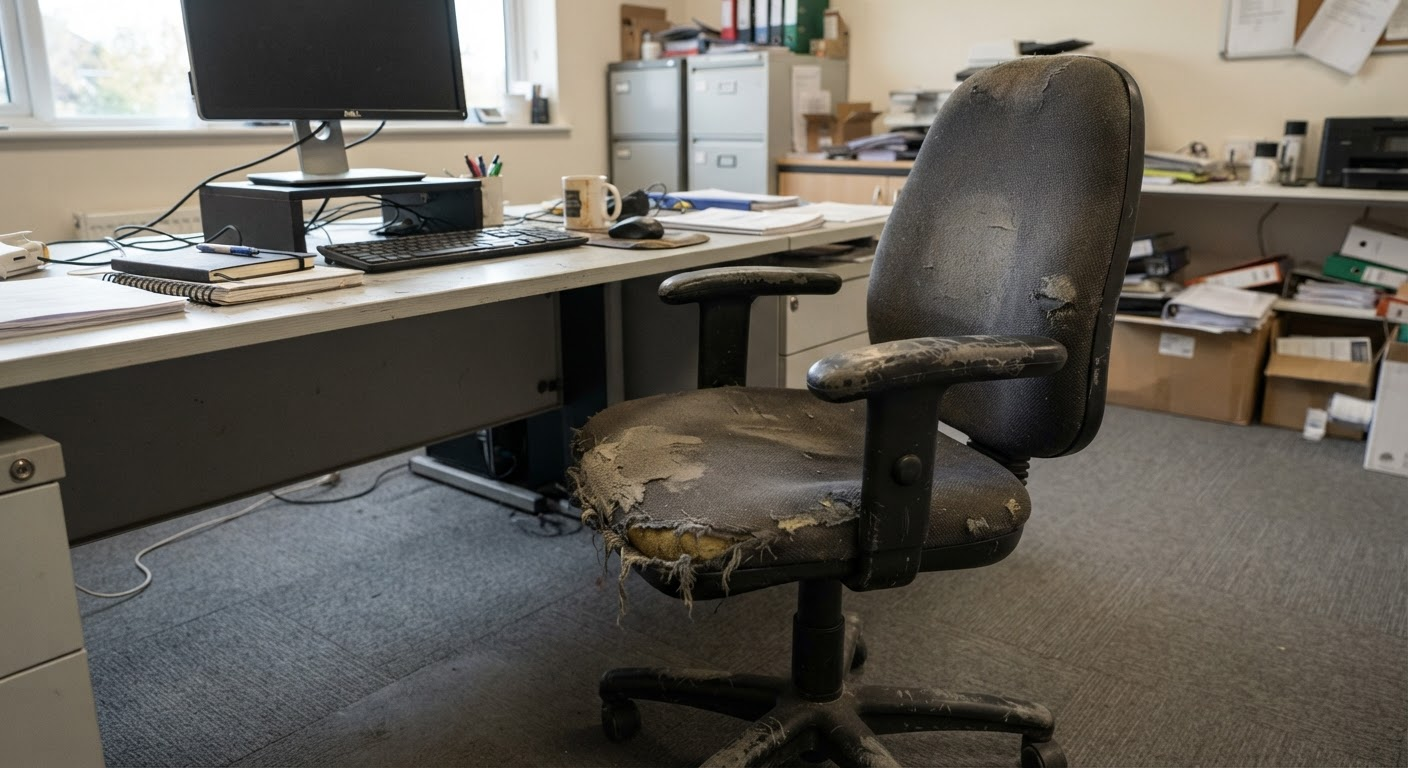
The quality and density of the foam influence how the seat performs over time. Lower-quality cushioning may flatten relatively quickly, particularly in a chair used every day.

Mesh chairs can provide airflow and a lighter visual appearance. Upholstered chairs offer a wider choice of fabrics, colours and finishes. Neither material is automatically more ergonomic.

The best option depends on the quality of the chair, the workplace environment and the user’s preference.

Fabric should also be selected with maintenance in mind. A chair used in a shared or high-traffic environment may require a durable, easily maintained finish.

Base and Castors

The chair base should provide a stable platform and allow the user to move naturally within the workstation.

Most task chairs use a five-star base. The castors must be suitable for the floor surface. Castors that work well on carpet may move too freely on a hard floor, while inappropriate castors can make a chair difficult to reposition.

The surrounding space should allow safe movement without loose cables or other obstructions.

Where the floor requires protection, an appropriate chair mat or alternative castor may be considered. The solution should not create a new trip hazard or prevent the chair from moving properly.

These details may appear minor, but they affect how the chair performs every day.

The Chair and Desk Must Work Together

An ergonomic chair cannot compensate for a poorly arranged workstation.

The desk height, screen position, keyboard, mouse and other equipment all affect the user’s posture. A suitable chair may still feel wrong when the monitor is positioned too low or the desk prevents the user from sitting close enough.

Begin by adjusting the chair around the user. Then arrange the workstation so frequently used equipment can be reached without repeated stretching or twisting.

The screen should be positioned according to the user and the task. Employees working with multiple screens may need a different arrangement from those using one monitor or a laptop.

A laptop used on its own for extended periods can make it difficult to achieve a comfortable screen and keyboard position simultaneously. Additional equipment may be appropriate depending on the working arrangement.

The chair is one part of an effective workstation, not a complete solution by itself.

The Complete Guide to Choosing an Ergonomic Office Chair

How Long Will the Chair Be Used?

Usage should influence the specification.

A chair used for brief meetings or occasional visitors may only need straightforward adjustment and dependable construction. A task chair used throughout the working day should offer greater support, adjustability and durability.

Shared chairs present another challenge. Hot-desking and hybrid working mean several employees may use the same workstation during a week. These chairs need a sufficiently broad adjustment range and controls that are easy to understand.

Specialist environments may place additional demands on seating. Control rooms, shift-based workplaces and roles requiring extended use need chairs designed for those conditions.

A chair intended for occasional use should not be expected to perform like one designed for sustained commercial use.

Shared Workstations and Hot-Desking

Shared workstations make simple adjustment particularly important.

Employees should be able to change the chair quickly at the beginning of a working session. If adjusting the chair requires a manual or lengthy explanation, most users will leave it in the previous person’s position.

Clear, accessible controls make a significant difference. Some businesses provide a short adjustment guide near shared workstations so users can establish a suitable position without assistance.

A consistent chair model can also help. Once employees understand one chair, they can adjust similar workstations more confidently.

The chair must accommodate the expected range of users. A model that works well for one individual may not be appropriate as a universal hot-desking chair.

Is a More Expensive Chair Always Better?

Not necessarily.

A higher price may reflect stronger materials, more adjustment, a longer warranty or a design intended for intensive use. It can also reflect appearance, brand or features that a particular user does not need.

The right chair provides suitable adjustment and support at a sensible cost for its intended use.

Buying solely on price can be a false economy when chairs wear out early or prove unsuitable for full-time work. At the other extreme, paying for every available feature provides little value if those features are unnecessary or never used.

The most meaningful comparison looks at specification, comfort, expected lifespan, warranty and support.

A chair should be judged by how well it performs over years of use, not only by its purchase price.

Testing an Office Chair

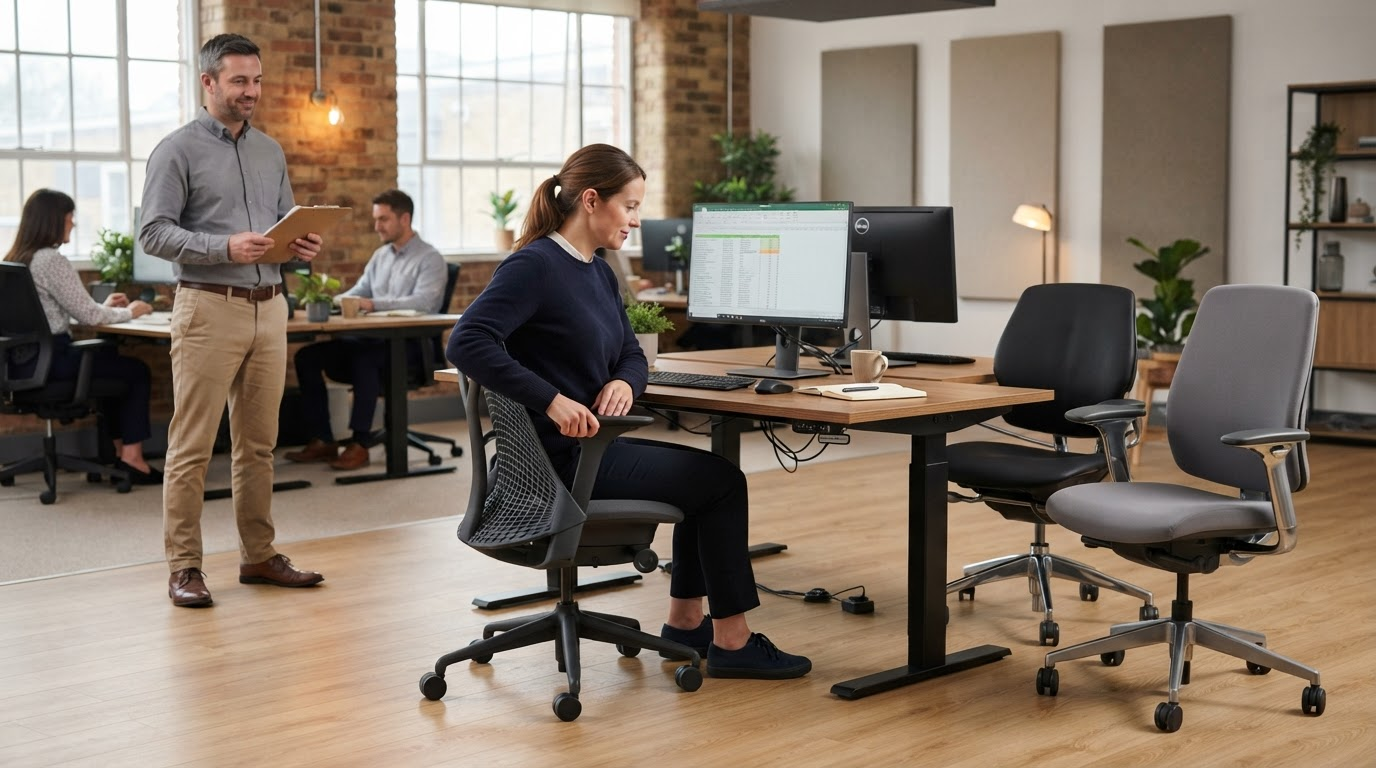
Whenever possible, the intended user should try the chair before a large order is placed.

A brief sit can reveal obvious problems, but it may not show how the chair feels during sustained work. A longer trial within the employee’s normal workstation provides a more useful assessment.

The user should try the adjustment controls and confirm that the seat height, depth, back support and armrests can be positioned comfortably. The chair should then be checked with the desk and equipment.

Feedback should focus on specific features rather than whether the chair feels generally “nice.” Ask whether the user can sit against the backrest, place their feet securely, approach the desk and move comfortably.

For larger projects, trialling a small selection of appropriate chairs may help the business make a more informed decision.

This does not mean every employee must choose an entirely different chair. The goal is to identify a dependable standard model while recognising genuine individual requirements.

The Complete Guide to Choosing an Ergonomic Office Chair

Common Mistakes When Buying Office Chairs

One common mistake is ordering chairs without considering who will use them.

A standard model may accommodate many employees but will not necessarily suit everyone. Businesses should identify users who may need a different size, adjustment range or specialist assessment.

Another mistake is focusing on appearance at the expense of function. A chair may complement the office perfectly while providing little useful adjustment.

Purchasing chairs separately from desks can also cause problems. Armrests may prevent the chair from approaching the work surface, or the seat-height range may not work effectively with the desk.

Businesses sometimes provide adjustable chairs without showing employees how to use them. Controls remain untouched, and the chairs provide little more benefit than fixed seating.

Finally, replacing chairs does not remove the need to consider the rest of the workstation. Screens, equipment, working habits and breaks all contribute to comfort.

Setting Up an Ergonomic Office Chair

Begin with the chair height.

The user should sit back in the chair with their feet supported and shoulders relaxed. The height can then be adjusted in relation to the desk and keyboard.

Next, check the seat depth. The user should be able to use the backrest without the seat pressing behind their knees.

Adjust the lumbar support or backrest so it feels supportive rather than forceful. If the chair has a tilt mechanism, set the resistance so movement feels controlled and natural.

Armrests can then be positioned so they support the arms without raising the shoulders or preventing access to the desk.

Finally, arrange the screen, keyboard, mouse and regularly used equipment around the user.

The exact sequence may differ according to the chair and workstation, but the principle remains the same: fit the workspace around the person rather than asking the person to adapt to poorly positioned equipment.

Encouraging Movement During the Working Day

Even a well-adjusted chair should not be used without interruption for an entire day.

Employees should be able to change position and move regularly. This might happen naturally through conversations, printing, refreshments or different tasks.

Sit-stand desks can offer another working position, but standing continuously is not the objective. The benefit comes from having the option to alternate between positions.

Workplace design can also support movement by providing suitable meeting areas and shared facilities. However, these should be planned thoughtfully rather than positioned inconveniently for the sake of making employees walk.

The best chair supports seated work. A healthy working pattern still includes variety and movement.

When a Standard Chair Is Not Enough

Most employees can be accommodated by well-designed commercial task chairs, but there will be exceptions.

A user may require a chair with a different seat width, greater height range, specialist support or controls suited to a particular mobility requirement. Existing pain, injury or a diagnosed condition may also require individual consideration.

Businesses should avoid trying to diagnose these needs through product selection alone. Where appropriate, advice from a qualified occupational health or ergonomic professional can help identify suitable adjustments and equipment.

The objective is to respond to the individual requirement rather than assuming that the most adjustable standard chair will solve every problem.

Choosing Chairs for the Whole Office

A consistent chair range can create a coordinated workplace and simplify maintenance, training and future purchases.

It is often practical to select a strong standard task chair that accommodates most employees, supported by alternative options for those with different requirements.

Meeting rooms, reception areas and occasional workspaces can then use chairs specified for their own level of use. There is little value in purchasing full task chairs for areas where people sit for only a few minutes, just as occasional seating should not be used for full working days.

Colour and finish can connect the different chair types without requiring every chair to be identical.

A planned seating strategy provides consistency while retaining enough flexibility for individual needs.

Durability, Warranty and Aftercare

Office chairs contain moving components and are used repeatedly, so construction quality matters.

Mechanisms should operate smoothly, controls should feel dependable and the chair should remain stable throughout its adjustment range. Upholstery and cushioning need to withstand the expected level of use.

Review the warranty carefully. Check its duration, what it covers and whether it reflects the chair’s intended usage. A long warranty may provide reassurance, but it should not replace a proper assessment of suitability.

Replacement components and aftercare can also affect the chair’s long-term value. Being able to replace an arm pad, castor or gas lift may extend the useful life of the chair and reduce unnecessary waste.

Reliable support after purchase is especially important when chairs are being supplied across a larger workplace.

Ergonomic Office Chairs in Blackburn and Lancashire

At Lomas Office Furniture & Stationery, we help businesses across Blackburn and Lancashire choose office chairs suited to their employees, workstations and budgets.

We can review how chairs will be used, explain the available adjustments and help identify models appropriate for everyday commercial use. The chair can also be considered alongside desks, screens and the wider office layout.

Our service can include office furniture consultation, product selection, delivery and professional installation. We can also help businesses plan consistent seating across workstations, meeting rooms and shared spaces.

If you are replacing office chairs or furnishing a new workplace, speak to our team to discuss your requirements.

Frequently Asked Questions

What makes an office chair ergonomic?

An ergonomic chair provides useful adjustment so it can be fitted to the user and their workstation. This commonly includes seat-height adjustment and supportive backrest design. Seat depth, lumbar support, armrests and tilt may also be adjustable.

Is there one office chair that suits everyone?

No. A well-designed chair may accommodate a broad range of users, but differences in height, build, mobility and personal requirements mean no single model will suit everybody.

Do ergonomic chairs prevent back pain?

An appropriate chair can support a more comfortable working position, but it cannot guarantee that a user will avoid or resolve back pain. Workstation arrangement, working habits, movement and individual health all matter. Persistent symptoms should be assessed appropriately.

Is lumbar support important?

Lumbar support can help support the lower back, but it must align comfortably with the user. A fixed or pronounced support may not suit everyone, which is why adjustable support can be valuable.

Are armrests necessary?

Not for every user or task. Armrests can support the arms when positioned correctly, but unsuitable armrests may raise the shoulders or prevent the chair from approaching the desk.

How long should an office chair last?

This depends on its construction, intensity of use and maintenance. A commercial task chair designed for everyday use should generally provide better long-term value than occasional-use seating placed in a full-time workstation.

Should employees test chairs before we buy them?

Testing is advisable, particularly before placing a large order or when an employee has specific requirements. The chair should be assessed with the desk and equipment rather than in isolation

Can one chair be used for hot-desking?

Yes, provided it has a sufficiently broad adjustment range and controls that different users can operate easily. Some employees may still require an alternative chair.

Do new chairs need to be professionally assembled?

Correct assembly helps ensure chairs operate safely and as intended. Professional delivery and installation can be valuable when supplying multiple workstations or more complex chair models.

We are using cookies to give you the best experience. You can find out more about which cookies we are using or switch them off in privacy settings.
AcceptPrivacy Settings

GDPR