

Standing Desks vs. Traditional Desks: Key Differences and Benefits for Your Home Office Setup

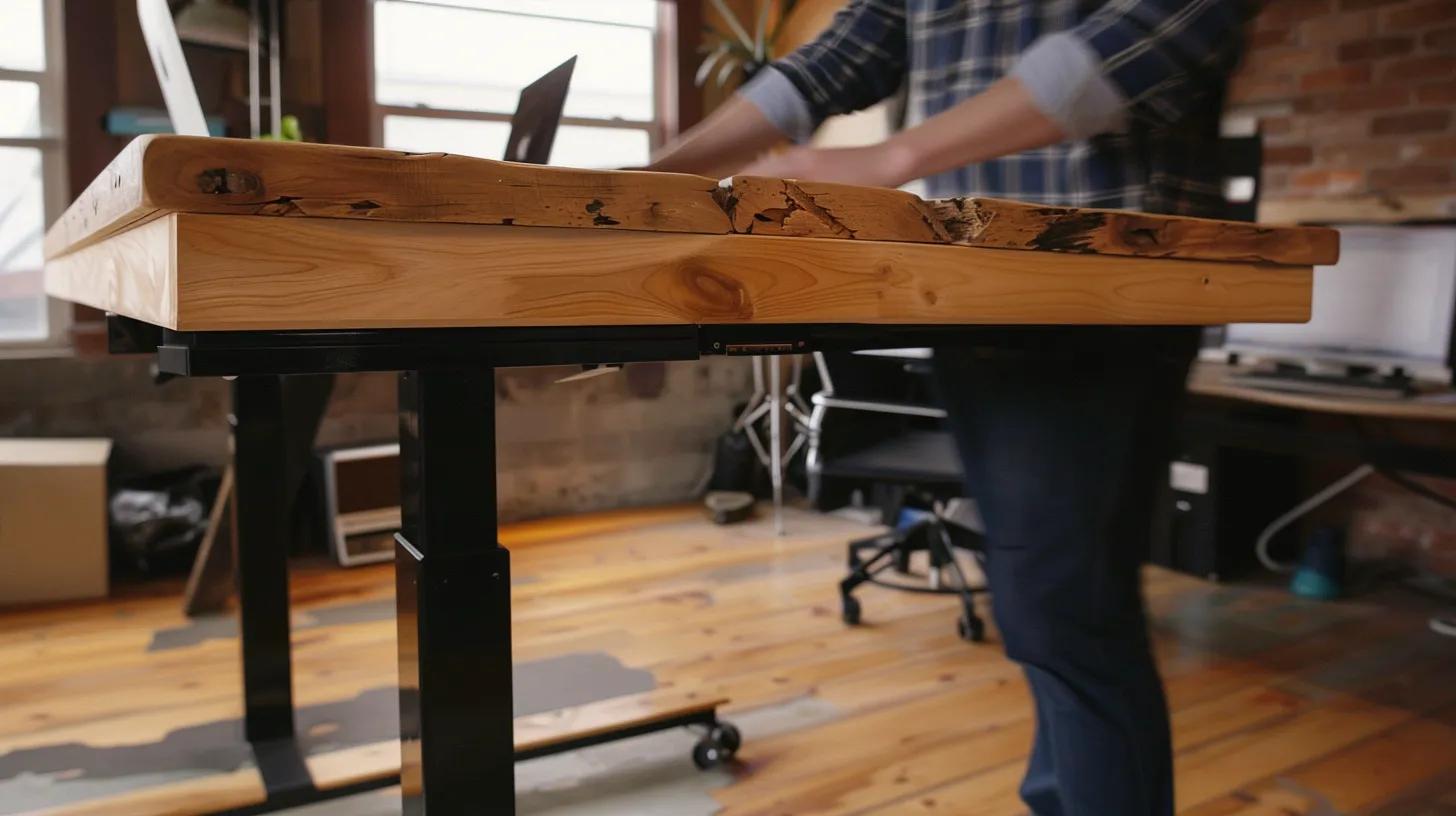
Finding the right desk for a home office hinges on matching ergonomics, workflow, and space to everyday tasks. This guide compares standing desks and traditional desks to help you decide which is best for you. The article defines both desk types, explains how adjustability and fixed designs affect posture and productivity, and outlines cost and space trade-offs relevant to UK buyers.
Many home workers experience back pain, midday energy slumps, and limited floor space; understanding desk mechanics and evidence-based sit–stand strategies offers practical solutions to these problems. You’ll get clear descriptions of standing-desk features, the advantages of traditional desks, a side-by-side comparison including an EAV table, and a decision checklist for selecting the best option.
Finally, we explain best practices for alternating between positions and show how Lomas Office Furniture & Stationery can support implementation through design and delivery services. Read on for actionable guidance that balances health, productivity, and budget for your home office setup.
What Is a Standing Desk and How Does It Benefit Your Home Office?
A standing desk is a height-adjustable workstation that lets users alternate between sitting and standing to reduce static posture and encourage micro-movements; the core mechanism is vertical adjustability that positions the work surface to maintain neutral spine alignment.
By adjusting desk height, a standing desk supports proper monitor and keyboard placement, reducing forward head posture and lowering lumbar strain when set up correctly. For home offices, key benefits include reduced musculoskeletal discomfort, improved circulation during the day, and potential increases in alertness for short, active tasks.
Below, we summarise the practical advantages, then detail the features and types available in the UK market. Understanding these features prepares you to choose between electric, manual, or converter solutions that match your space and budget.
Standing desks offer several practical benefits for home-office users:
- Reduced discomfort: Alternating positions can lower reports of back and neck pain when ergonomically set up.
- Improved circulation: Standing increases blood flow to the lower limbs compared with prolonged sitting.
- Higher alertness: Short periods of standing can lift energy and reduce afternoon slumps.
- Flexible workstation: Height adjustability supports multiple users or varied tasks.
These advantages lead to a closer look at the specific features that make standing desks effective in practice.
What Are the Key Features of Standing Desks?
Height range, control type, and frame capacity define a standing desk’s usability and durability; electric motors, manual cranks, and converter mechanisms determine how smoothly adjustments occur and how much weight the desk can safely bear. Typical electric desks offer digital memory presets for repeatable heights and dual motors for higher weight capacity, while manual options trade convenience for lower cost and more straightforward mechanics.
Desktop materials—laminate, veneer, or solid wood—affect durability and aesthetics, and integrated cable management, monitor arms, and anti-fatigue mat compatibility are standard accessories that improve ergonomics. When choosing, consider stated height ranges, load ratings, and whether memory controls suit multi-user households; these factors influence long-term comfort and equipment compatibility.
How Do Standing Desks Improve Ergonomics and Posture?
Standing desks improve posture by allowing the monitor to be positioned at eye level and the keyboard at an angle that keeps the wrists neutral, reducing forward head posture and spinal compression when used correctly. The mechanism—raising or lowering the desktop—directly changes spinal loading patterns so micro-movements and weight shifts occur more frequently, reducing prolonged static strain.
For best results, set the monitor top at or slightly below eye height, elbows at roughly 90 degrees, and use an anti-fatigue mat to reduce leg strain; these adjustments help translate the desk’s mechanical advantages into measurable ergonomic improvements. Proper setup and alternation between positions are essential because the desk alone does not guarantee improved posture without correct accessory use and behaviour change.
What Are the Health Benefits of Using a Standing Desk?
Recent studies indicate that sit–stand desks can reduce self-reported musculoskeletal discomfort and decrease sedentary time, with some trials showing modest improvements in energy and task engagement during short standing intervals. Evidence also suggests reductions in lower back pain for some users when a sit–stand routine is implemented alongside an ergonomic setup. However, outcomes vary by study design and individual health status.
Standing promotes subtle increases in calorie expenditure and circulation compared with sitting, but these effects are cumulative and depend on daily patterns of movement rather than standing alone. The balance of benefits supports a sit–stand strategy that emphasises movement, regular transitions, and the use of accessories to mitigate potential downsides of prolonged standing.
Research into sit-stand workstations highlights that sustainable usage requires individual adaptation and awareness of potential risks, not just perceived health benefits.
Sit-Stand Workstation Use: Ergonomics, Safety, and Health Factors
Many workplaces have implemented sit-stand workstations (SSW), which enable a worker to transition between sitting and standing as they perform their work activities. The factors which determine the initial adoption, sustainability or cessation of use for a SSW, remain largely unexamined. This study investigates the experiences of workers who had previously used or were currently using a SSW.
The study setting was within an Australian university. Participants who were current or past SSW users, as well as workplace key informants, were interviewed for the study. All interviews were recorded, transcribed and analysed. Transcripts were coded by two researchers for concepts and themes regarding uptake and sustainability of SSW. Discussion and validation of themes was undertaken by the team of three researchers.
A total of 24 interviews were conducted. Twenty-two interviews were with ceased and current users (16 current and six ceased users) and two interviews were with workplace key informants. Analysis of the interviews with current and ceased users identified three main themes: Personal considerations for use/sustainability; Posture; and Usability.
Analysis of the interviews with key informants identified two themes: Considerations and concerns and Policies and procedures. Little information was provided to workers when first using a SSW.
Workers who were able to adopt their working style to the new workstations were able to sustain ongoing use of a SSW. Key informants were concerned that employees believed using a SSW would provide a health benefit in its own right without an understanding of the possible risks that might be associated with use.
Sustainable usage of this type of SSW is achievable, however, it requires some element of adaptation at the individual worker level. Participants spoke about how the use of the SSW in a standing position was typically associated with the time of day, specific task selection and musculoskeletal comfort or fatig
Which Types of Standing Desks Are Available in the UK Market?
UK buyers can typically choose between electric height-adjustable desks, manual crank desks, and desk converters that sit on a fixed desktop to add adjustability without replacing the whole desk. Electric models excel in convenience and load capacity. They are suited for heavy multi-monitor setups, while manual crank options provide a lower-cost alternative with reliable mechanics for lighter equipment loads.
Converters offer a compact hybrid choice for small home offices where replacing existing furniture is impractical; they are cost-effective but add stack height and may limit workspace depth. Price ranges broadly reflect these distinctions: converters at the lower end, manual models in the mid-range, and electric models at higher price points due to motors, controls, and warranty differences.
This table clarifies which standing-desk approach best matches different space and budget constraints, and it leads into how traditional desks compare.
What Defines a Traditional Desk and What Are Its Advantages for Home Offices?
A traditional desk is a fixed-height workstation designed primarily for seated use, typically incorporating built-in storage such as drawers or pedestals, and emphasising surface stability for sustained tasks. The fixed-height mechanism ensures a stable platform for writing,
heavy equipment, and detailed work such as drafting; this structural stability often provides psychological cues that support focused, prolonged tasks. In home offices where storage, aesthetics, and a classic workstation layout matter, traditional desks can offer lower upfront complexity and excellent durability. Below, we outline the main characteristics, how they support focused work, and cost and style considerations relevant to UK buyers.
Traditional desks commonly provide these strengths:
- Stability for heavy equipment: Fixed frames support printers, multiple monitors, and physical paperwork without wobble.
- Integrated storage: Built-in drawers and cabinets reduce the need for extra furniture in compact spaces.
- Aesthetic variety: Styles from executive to minimalist support decor choices and professional presentation.
These strengths inform scenarios in which a static desk outperforms adjustable alternatives, particularly where storage and visual cohesion are priorities.
What Are the Main Characteristics of Traditional Desks?
Traditional desks are defined by a fixed work surface height, robust frames, and integrated storage options such as filing drawers or cupboards, which make them well-suited to document-heavy workflows. Common materials include solid wood, veneer, and laminate, each offering trade-offs in cost, maintenance, and appearance; solid wood provides longevity but at a higher price, while laminate offers easy cleaning and budget-friendliness.
Typical dimensions vary by style, but home-office sizes often prioritise depth and drawer placement to balance legroom with storage. Buyers should evaluate the desk’s footprint, drawer configuration, and finish to ensure it matches both functional needs and room layout.
How Do Traditional Desks Support Focused Work and Stability?
Fixed surfaces support sustained, concentrated work by minimising mechanical distractions—no motors or adjustments interrupt the workflow—and by creating a consistent ergonomic baseline for seated posture. This stability benefits tasks that require fine motor control, heavy hardware, or extensive paperwork, and it can accommodate elaborate workstation setups that require rigid support.
Additionally, the psychological effect of a stable, dedicated workspace often enhances task initiation and focus by reinforcing a clear boundary between work and non-work areas. For those who perform long uninterrupted sessions, pairing a traditional desk with an ergonomic chair and monitor arm yields the best ergonomic outcomes.
What Are the Cost and Space Considerations of Traditional Desks?
Traditional desks often present lower mechanical complexity and can be less expensive initially than premium electric sit–stand models, though premium materials like solid wood increase price and weight. Space considerations include the desk’s footprint and storage depth; integrated storage can reduce the need for separate cabinets but increases overall depth and may limit legroom.
For small UK flats, minimalist pedestal desks or compact writing desks offer storage while conserving floor area, whereas larger rooms can accommodate executive styles that prioritise presence and durability. The lifetime cost should consider maintenance, potential future resale, and whether the desk will require complementary ergonomic accessories.
Which Traditional Desk Styles and Materials Are Popular in the UK?
Popular UK styles include executive solid-wood desks for formal home offices, minimalist laminate desks for contemporary apartments, and vintage or retro designs that pair with reclaimed materials for a bespoke look. Material choice affects maintenance and longevity: veneers deliver a wood-like finish at a lower cost while laminate resists stains and wear, making it practical for busy households.
Style selection should align with how the desk will be used—formal rooms benefit from heavier pieces. At the same time, multipurpose spaces favour compact, lighter designs that integrate storage without overpowering the room.
How Do Standing Desks and Traditional Desks Compare: Health, Productivity, and Cost?
Standing and traditional desks differ primarily in adjustability, stability, and typical price bands; standing desks offer dynamic posture options that benefit circulation and short-term alertness, while traditional desks prioritise stable surfaces and integrated storage for focused, prolonged seated work.
Ergonomically, adjustable desks enable neutral monitor and keyboard placement for standing and sitting positions, supporting movement-based strategies, whereas traditional desks require ergonomic accessories to reach similar outcomes. Cost varies by mechanism and material: converters are budget-friendly, manual desks mid-range, and electric sit–stand models pricier due to motors and controls. Below is a concise EAV comparison to help you assess trade-offs quickly.
This comparison highlights that a hybrid or sit–stand strategy often captures the benefits of both approaches for many home workers, which we explore in the following.
What Are the Ergonomic Differences Between Standing and Traditional Desks?
Standing desks offer vertical adjustability that aligns monitor and keyboard positions across postures, reducing spinal flexion and encouraging micro-movements. In contrast, traditional desks provide a constant working height that requires chair and accessory adjustments to optimise ergonomics.
The relationship between desk and chair is crucial. For a standing desk, an adjustable-height chair or stool and a monitor arm complete the setup, whereas a traditional desk relies more on a high-quality ergonomic chair and foot support. Semantic triple: standing desk → provides → adjustable posture support. Proper accessory selection ensures both desk types support neutral joints and minimal strain.
How Does Each Desk Type Impact Productivity and Focus?
Short standing intervals tend to boost alertness and can improve performance on short, active tasks such as meetings or creative brainstorming. At the same time, seated work often supports sustained concentration, deep focus, and detailed tasks like coding or writing. Studies through 2024–2025 indicate that standing increases perceived energy and reduces fatigue during brief activities, but that long-duration sitting with an ergonomic setup can produce higher sustained output on intensive tasks. Choose the desk type based on dominant task types: standing for dynamic, interactive work; traditional seating for prolonged focused tasks with heavy equipment.
What Are the Cost Ranges and Space Requirements for Both Desk Types?
Cost drivers include mechanism (motor vs crank), material (laminate vs solid wood), and included accessories; converters typically start at the lowest price point, manual desks are mid-range, and electric dual-motor desks appear at the premium end due to performance and warranty.
Space planning should account for clearance when standing—allow extra vertical space—and for storage needs when selecting traditional desks. A simple footprint guideline: allow at least 800mm depth for comfortable monitor and keyboard placement and 1,200–1,400mm width for multi-monitor setups; compact converters are suitable for tighter footprints but may reduce usable surface area.
Can a Hybrid Sit-Stand Desk Strategy Maximise Health and Productivity?
Yes — hybrid strategies that alternate sitting and standing are supported by recent research showing reductions in discomfort and modest gains in energy when users follow structured alternation routines rather than prolonged static postures. Practical schedules often recommend starting with shorter standing intervals and increasing movement frequency; for example, alternating every 30–60 minutes and aiming for cumulative standing of a few hours per workday supports circulation without causing leg fatigue. Converters and electric sit–stand desks enable smooth hybrid workflows; pairing them with anti-fatigue mats and movement prompts maximises benefits while minimising downsides.
Real-world explorations of sit-stand desks reveal that while motivators include health knowledge and personal well-being, the transition to an “active office” is facilitated by control, choice, and enhanced interaction.
Sit-Stand Desk Use: Real-World Experiences, Barriers, and Facilitators
Prolonged sedentary behaviour is associated with poor health. Office-based workers spend much of the working day sitting. Sit-stand desks have become a popular intervention, but real-life experiences of the value of sit-stand desks remain relatively unexplored outside of research-led interventions.
A qualitative study was therefore undertaken to explore real-life experiences, including perceived barriers, and facilitators of using sit-stand desks. Six focus-group interviews were undertaken with a total of 34 desk-based employees in North-West England. Interviews were transcribed and analysed using thematic analysis.
Three main themes emerged:The Sedentary Office,Motivators, andThe Active Office. The Sedentary Office highlighted participants’ frustration with an increasingly sedentary office environment.Motivatorsto reducing sitting time were knowledge of the health consequences of prolonged sitting, previous (ill) health, and the potential benefits expected.T
he Active Office highlighted the importance of control, choice, enhanced interaction with colleagues, and the benefits associated with moving more and enhancing an overall sense of workplace wellbeing. Perceived benefits, facilitators, and barriers – experienced and observed – from sit-stand desk use in the real world were examined, thus contributing to important discussions of transferability.
Overall, the study shed light on the perceived facilitators, benefits, and drawbacks of sit-stand desk work whilst also giving evidence of the real-world acceptability and research translation of sit-stand desk use. Future research should examine this in multiple contexts and should explore implications of an increasing prevalence in home working.
The workplace is recognised as an important setting to promote and maintain workers’ wellbeing (World Health Organization,2013). Promoting movement and physical activity (PA) through work environments have been shown to benefit wellbeing (Abdin et al.,2018). Such benefits in
What Are the Health Risks and Best Practices for Using Standing and Traditional Desks?
Both prolonged standing and prolonged sitting carry risks: excessive standing can lead to leg fatigue and circulatory strain, while protracted sitting increases sedentary-related metabolic risks and back strain. Best practice is not to choose one posture exclusively but to design a regimen of regular movement and ergonomic optimisation that mitigates both sets of risks.
The following subsections outline specific downsides, evidence-backed alternative strategies, and ergonomic tips that optimise either desk type. Implementing these practices substantially reduces the likelihood of adverse outcomes and improves day-to-day comfort.
What Are the Potential Downsides of Prolonged Standing?
Prolonged standing can increase venous pressure in the lower limbs, contribute to leg fatigue, and raise the risk of varicose veins if not mitigated by movement, posture changes, and appropriate footwear. Research from recent years highlights that unmanaged long-standing issues may exacerbate musculoskeletal discomfort rather than reduce it, particularly for individuals with pre-existing circulatory problems.
Mitigations include using anti-fatigue mats, wearing supportive footwear, pacing standing intervals, and integrating seated breaks to lower persistent lower-limb loading. These measures turn standing from a potential risk into a manageable ergonomics tool.
How Can Alternating Between Sitting and Standing Improve Well-being?
Alternation encourages micro-movements that improve circulation, reduce static spinal loading, and can lower perceived fatigue and musculoskeletal pain when timed appropriately; clinical studies suggest benefits when breaks and standing intervals are structured rather than sporadic.
A pragmatic routine might begin with 20–30 minutes sitting, 10–20 minutes standing, and periodic short walks, building toward roughly 2–4 hours of standing spread through the day, depending on individual tolerance. Combining alternation with ergonomic setup—monitor at eye level, keyboard neutral, and anti-fatigue support—delivers measurable improvements in comfort and task engagement.
What Ergonomic Setup Tips Optimise Both Desk Types for Home Offices?
Optimise any desk by setting the monitor at eye height, keeping elbows at about 90 degrees, and ensuring feet are supported to maintain neutral spine alignment; these adjustments reduce compensatory postures that cause pain. Accessory recommendations include a height-adjustable monitor arm, an ergonomic chair with lumbar support for seated work, an anti-fatigue mat for standing periods, and a footrest when legs need support.
Routine prompts—timers, calendar triggers, or movement apps—help enforce alternation and prevent long static periods. These setup steps convert both standing and traditional desks into ergonomically sound workstations.
- Monitor placement: Top of screen at or slightly below eye level.
- Keyboard: Positioned so wrists remain neutral and elbows are close to 90 degrees.
- Seating: Use an ergonomic chair adjusted for lumbar support and thigh clearance.
- Standing aids: Use anti-fatigue mats and supportive footwear; shift weight frequently.
These tips lead to practical selection criteria for choosing the best desk for your context.
How to Choose the Best Desk for Your Home Office Setup?
Choosing the right desk depends on four core factors: space constraints, budget, primary work tasks, and health or mobility considerations; the decision framework maps these factors to recommended desk types and necessary accessories. Evaluate how much equipment you’ll place on the desk, whether you need storage, and how frequently you plan to alternate postures; those answers point toward electric sit–stand models for heavy dual-monitor setups, converters for retrofit needs, or traditional desks for storage-heavy seated workflows. The table below offers a decision framework that links common home-office scenarios to recommended desk categories and rationale to help you decide efficiently.
This decision matrix clarifies which options suit everyday situations and prepares you to evaluate specific models or services.
What Factors Should Influence Your Desk Choice?
Prioritise the type of work you do, the equipment load, health needs, and room layout; these factors determine whether adjustability, storage, or surface stability is most important. Work style dictates whether you need frequent posture changes (favouring sit–stand desks) or long periods of seated focus (favouring traditional desks).
At the same time, equipment such as printers or multiple monitors increases the importance of frame capacity and surface depth. Budget and future-proofing also matter: investing in a high-quality electric desk adds flexibility but increases the initial cost, whereas converters save money but may compromise workspace ergonomics.
How Do UK Market Trends Affect Your Desk Selection?
Recent UK market trends show increasing demand for electric adjustable desks and ergonomic accessories as remote work remains common, influencing availability and competitive pricing across segments; popular features include dual-motor systems and memory presets that enhance usability.
Delivery and service considerations also influence buying decisions in the UK market—buyers often prioritise suppliers offering rapid fulfilment and installation support. These trends mean buyers can often access quality sit–stand options across budgets, but should account for lead times on premium models during busy periods.
What Are the Top-Rated Standing Desks and Traditional Desks Available in the UK?
Rather than listing specific models, evaluate top-rated options by category—electric sit–stand, manual adjustable, and converters for standing desks; executive, minimalist, and compact for traditional desks—and compare key specs: height range, load capacity, warranty, and included accessories.
Use a short evaluation checklist focusing on mechanism reliability, surface material, accessory compatibility, and delivery/installation options to narrow choices. This approach avoids model-specific biases and guides you to options that match your scenario and ergonomics needs.
Evaluation checklist:
- Mechanism reliability: Check motor type or crank durability.
- Height range: Ensure it fits your standing and seated needs.
- Load capacity: Verify capacity for monitors and peripherals.
- Service options: Look for installation and delivery support.
These selection steps naturally lead into supplier and implementation support, as described next.
How Can Lomas Office Furniture Support Your Home Office Desk Needs?
Lomas Office Furniture & Stationery combines product supply with office design and installation services to help buyers implement ergonomic home-office solutions that fit space and workflow needs. As a UK supplier with established experience, Lomas offers standing desk categories (electric, manual, and converter options), traditional desk styles, and an integrated design-to-installation workflow using CAD-based space planning.
Their value propositions include free, no-obligation consultations to assess requirements, competitive pricing, next-day delivery options for eligible products, and professional installation—benefits that simplify the transition from decision to a usable, ergonomic setup. Below, we outline how Lomas’s product categories and services map to everyday home-office needs.
What Standing Desk Options Does Lomas Office Offer for Home Offices?
Lomas offers a range of standing desks suited to home offices, including electric height-adjustable desks for frequent height changes, manual-adjust desks for budget-conscious buyers, and desk converters for retrofit situations.
Product pages and consultation services help determine which category best matches equipment loads and room constraints, while accessory options—monitor arms, cable management, and anti-fatigue mats—complete ergonomic setups. For buyers wanting bespoke dimensions or integrated finishes, Lomas’s consultation and design services can align desk selection with room layout and storage needs.
What Traditional Desk Styles and Solutions Are Available from Lomas Office?
Traditional desk offerings range from compact writing desks to larger executive models with integrated storage, enabling buyers to choose finishes and storage configurations that suit both aesthetics and paperwork needs. Lomas can advise on space-optimised traditional solutions—such as pedestal desks or wall-facing layouts—that balance surface stability with efficient storage in smaller home-office rooms.
Their catalogue provides a range of material and style options to match interior design and functional requirements without forcing unnecessary complexity into the selection process.
How Does Lomas’s Office Design and Refurbishment Enhance Your Workspace?
Lomas applies CAD-led space planning and professional installation to ensure desks, storage, and ergonomic accessories fit precisely within a room’s layout and support healthy working postures. This service workflow—needs assessment, CAD planning, product selection, and professional installation—reduces the risk of poor fit and delivers a coordinated outcome for clients requiring more than a standalone desk.
Case-study examples are available on request during consultations to demonstrate how integrated design and installation solve typical home-office constraints and deliver functional, comfortable workspaces.
How Can You Get a Free Consultation and Next-Day Delivery from Lomas?
To explore options, prospective buyers can request a free, no-obligation consultation to assess needs and receive tailored recommendations; during the consultation, Lomas discusses product categories, design options, and delivery lead times. For in-stock items that qualify, next-day delivery is offered as a UVP to speed implementation for urgent setups.
At the same time, bespoke or larger refurbishment projects follow a planned schedule coordinated through CAD-based design and installation. The consultation is designed to clarify options and costs so buyers can choose the most suitable desk and service path with confidence.
What Are the Most Common Questions About Standing and Traditional Desks?
This FAQ-style section answers common search queries concisely to help you make informed choices about posture, productivity, and selecting the right desk. Each answer summarises evidence and practical guidance and points to decisions covered earlier in the article for deeper reading.
Are Standing Desks Better for Your Back Than Traditional Desks?
Standing desks can reduce back discomfort when used correctly as part of an alternation strategy because they allow adjustments that promote neutral spine alignment and reduce prolonged lumbar flexion. However, benefits depend on correct monitor and keyboard placement, use of supportive accessories, and regular movement; standing alone without an ergonomic setup can worsen symptoms.
The best approach is a hybrid routine that pairs sit–stand changes with proper posture setup to deliver measurable back–pain relief for many users.
Can Standing Desks Increase Productivity in a Home Office?
Standing intervals can increase perceived alertness and improve performance on short, active tasks, but evidence shows that sustained, focused tasks often benefit from seated work with ergonomic support. Productivity gains are task-dependent: creative and interactive sessions may see improvement standing, whereas detailed analytical work frequently performs better sitting. Combining both postures and matching posture to task typically yields the most consistent productivity benefits.
Is It Better to Switch Between Sitting and Standing During Work?
Yes — structured switching between sitting and standing reduces static loading of muscles and joints and improves circulation; practical schedules recommend alternating every 30–60 minutes and incorporating short walks. Starting with small, frequent standing intervals and increasing duration based on comfort helps users adapt without developing leg fatigue. Movement prompts and simple routines help enforce alternation and turn it into a sustainable habit.
What Are the Health Benefits of Using a Standing Desk Regularly?
Regular use of a standing desk as part of a sit–stand strategy can reduce musculoskeletal discomfort, increase light activity throughout the day, and improve subjective energy levels according to recent studies. Quantified benefits vary, but many users report reduced back and neck pain and fewer afternoon energy dips when alternation and ergonomic setup are consistently applied. Combining standing with movement and ergonomic accessories maximises these health benefits.
How Do I Choose Between a Standing Desk and a Traditional Desk?
Choose based on your dominant tasks, equipment load, space, and health priorities: opt for sit–stand solutions if you need regular posture changes and circulation benefits; choose a traditional desk if stability and integrated storage are essential for document-heavy workflows. Test options where possible, consult a specialist for bespoke fit, and consider suppliers that offer design support and fast delivery to ensure your chosen desk integrates smoothly with your room and routine.
This article has provided a balanced, evidence-based comparison and a practical decision framework; for tailored implementation and supply options, the free consultations mentioned earlier can help translate these recommendations into an ergonomic, functional home-office setup.
Addressing ergonomic issues in home offices is crucial, especially given the rise in remote work, as poor setups can lead to significant health problems like neck and back pain.