

DSE Workstation Assessments in Blackburn and Lancashire

DSE Workstation Assessment

A workstation should support the person using it.

When a chair, desk, screen or keyboard is incorrectly positioned, employees may experience discomfort, tiredness or difficulty concentrating. These problems are not always caused by unsuitable equipment. Sometimes the existing workstation simply needs to be adjusted correctly.

A DSE workstation assessment examines how an employee works and identifies practical changes that could make their setup more comfortable and appropriate.

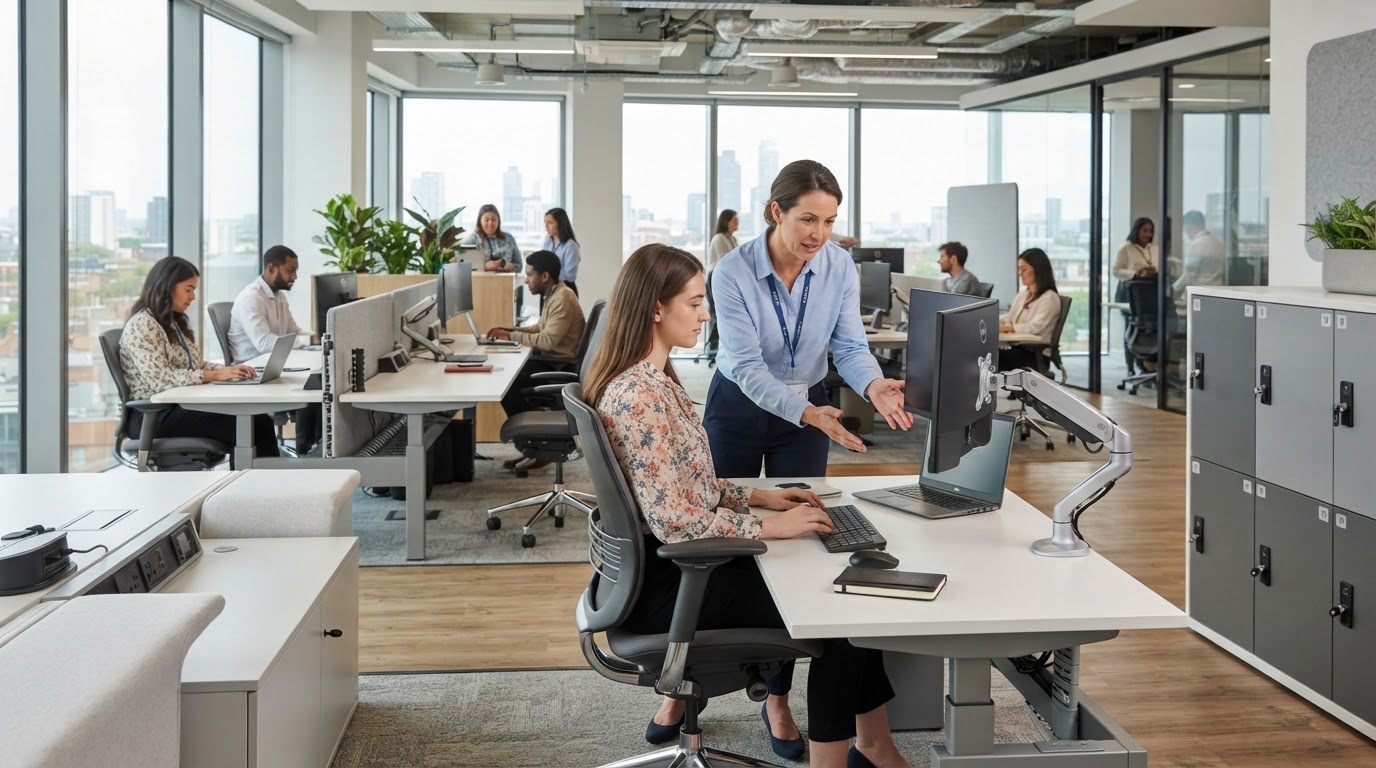
Lomas Office provides DSE workstation assessments for businesses in Blackburn and across Lancashire, including office-based, home and hybrid workers.

What Is a DSE Assessment?

DSE stands for display screen equipment. This includes desktop computers, laptops, tablets and other devices used as part of someone’s work.

A DSE assessment is a structured review of the complete workstation. It considers the employee, the equipment they use, the tasks they perform and the environment in which they work.

The purpose is not simply to complete a form or recommend a new chair. It is to identify potential risks and decide what practical improvements may be required.

In many cases, relatively small adjustments can make a significant difference to the way a workstation feels.

Who Needs a DSE Assessment?

Under the Health and Safety (Display Screen Equipment) Regulations, employers must protect workers who use DSE daily for continuous periods of an hour or more.

This can include employees working at permanent desks, people using shared workstations, mobile workers and those working from home.

Hybrid employees may need both their workplace and home arrangements considered. A suitable office workstation does not remove the need to review a home setup if it is also used regularly.

An assessment may be particularly useful when an employee begins a new role, moves workstation, receives new equipment or reports discomfort associated with their work.

What Does the Assessment Cover?

A DSE assessment looks at the entire working arrangement rather than one item of furniture in isolation.

The chair is reviewed to establish whether it is suitable, stable and correctly adjusted. Seat height, back support and armrest position may all affect how comfortably someone can work.

The desk should provide sufficient space for equipment and allow the employee to sit without restricted legroom. Frequently used items need to be positioned where they can be reached without repeated stretching or twisting.

Screen height, viewing distance and positioning are also considered. Reflections, glare and the relationship between the screen, keyboard and user can all influence posture.

The assessment may also examine the mouse, telephone, documents, foot support, lighting and surrounding environment. The employee’s normal workload, breaks and changes of activity are part of the wider picture.

The objective is to understand how all these elements work together.

DSE Workstation Assessment

The Employee’s Role in the Assessment

The person using the workstation should be involved throughout the assessment.

Employees can explain the tasks they perform, how long they spend using the equipment and whether they experience any difficulties. They may also identify problems that are not immediately visible, such as glare at a particular time of day or discomfort that develops during certain activities.

An assessment should not impose one supposedly perfect posture. People vary in height, proportions, ability and working requirements.

The aim is to help each employee achieve a comfortable, supported position while allowing regular movement and changes of posture.

What Happens During a Lomas DSE Assessment?

The process begins with a discussion about the employee’s work, workstation and any concerns they have raised.

We then review the way the workstation is arranged and how the available equipment is being used. Where possible, adjustments can be demonstrated during the assessment. This may include changing the chair position, moving the monitor or reorganising equipment on the desk.

The findings are recorded along with any recommended actions.

These recommendations are prioritised according to what is genuinely required. Existing equipment should be adjusted and used effectively before unnecessary replacements are considered.

Where additional furniture or accessories may be appropriate, we can help identify suitable options based on the individual and their working environment.

Adjustment Before Replacement

A DSE assessment should not be treated as an automatic route to purchasing new equipment.

A good-quality chair may still cause problems when it has never been correctly adjusted. A monitor may be suitable but positioned too low or too far away. A large desk can remain ineffective when equipment is arranged poorly.

The first step is therefore to make the best use of what is already available.

Where existing equipment cannot meet the employee’s requirements, the assessment provides a clearer basis for choosing an appropriate alternative. This helps businesses avoid speculative purchases that fail to resolve the original issue.

DSE Workstation Assessment

DSE Assessments for Home and Hybrid Workers

The same general responsibilities can apply when employees work regularly from home.

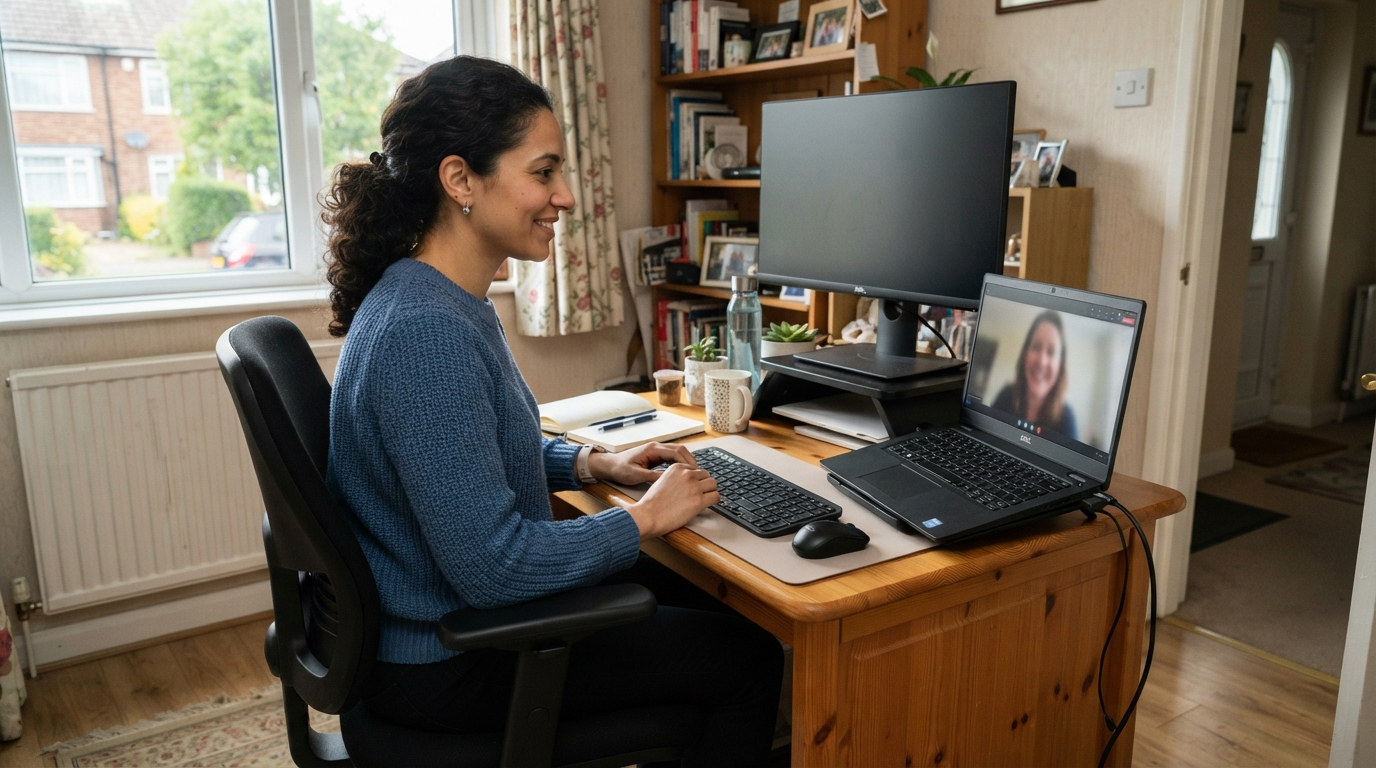
Home workstations often develop gradually. A laptop may be used at a dining table, on a kitchen counter or in a spare room that was never intended to become a permanent office.

A home assessment considers whether the employee can achieve a comfortable and sustainable setup with the space and equipment available.

In many cases, assessments can be completed remotely with the employee’s involvement. Where action is needed, recommendations should reflect the amount of time spent working at home and the practical limitations of the space.

Hybrid workers should understand how to set themselves up correctly in both locations rather than assuming one arrangement will suit every environment.

Hot-Desking and Shared Workstations

Hot-desking introduces a different challenge because several employees may use the same furniture.

Shared workstations should be sufficiently adjustable for the range of people expected to use them. Employees also need to know how to adjust the chair, screen and other equipment when they begin work.

A basic setup routine can prevent people from spending the entire day using the previous occupant’s settings.

Where employees have particular requirements, organisations may need to consider whether a permanently allocated workstation or specialist equipment is more appropriate.

When Should an Assessment Be Reviewed?

A DSE assessment should remain relevant to the employee’s actual working arrangements.

It should be reviewed when there is a significant change to the workstation, equipment, work location or tasks being performed. A further review may also be needed if the employee reports discomfort or believes the existing controls are no longer effective.

Businesses should not rely on an old assessment after the circumstances on which it was based have changed.

Regular communication makes it easier to identify developing problems before they become accepted as part of the working day.

DSE Assessments and Eye Tests

Eligible DSE users can ask their employer to arrange and pay for an eye and eyesight test.

An eye test is separate from a workstation assessment. The assessment can consider screen position, glare, lighting and visual comfort, but it does not replace an examination by an appropriate eye-care professional.

Employees experiencing visual problems should follow their employer’s procedure for requesting a test.

DSE Workstation Assessment

What a DSE Assessment Is Not

A DSE assessment is a workplace risk assessment, not a medical diagnosis.

Where an employee has persistent pain, a medical condition, a disability or complex individual requirements, additional advice may be needed from occupational health, a medical professional or a suitably qualified ergonomics specialist.

The DSE assessment can still provide useful information about the workstation, but it should operate within appropriate limits.

DSE Workstation Assessments From Lomas Office

Lomas Office helps organisations create practical workstations that support the people using them.

Our DSE assessment service can help you understand existing workstation problems, make better use of current equipment and identify where further support may be appropriate.

We can assist businesses with individual assessments, office-based teams and home or hybrid working arrangements. Where equipment is required, we can also help with ergonomic seating, desks, monitor arms and workstation accessories.

Speak to Lomas Office about arranging DSE workstation assessments in Blackburn or across Lancashire.

Frequently Asked Questions

Is a DSE assessment a legal requirement?

Employers must assess and reduce the risks faced by workers who meet the definition of a DSE user under the relevant UK regulations.

Can employees complete their own assessments?

Employees can complete a self-assessment when they have been given suitable information and training. Employers must still review the findings and ensure that necessary actions are taken.

Does every DSE assessment result in new equipment?

No. Many issues can be improved by adjusting the existing chair, repositioning equipment or changing working practices. New equipment should be recommended when there is a genuine need.

Can a DSE assessment be completed remotely?

Many home-working assessments can be completed remotely with the employee’s involvement. A more detailed review may be appropriate when the circumstances are complex.

How often should DSE assessments be repeated?

There is no single interval that suits every workplace. Assessments should be reviewed when working arrangements change, new equipment is introduced or the employee reports discomfort.

Can you assess an entire office?

Yes. Assessments can be arranged for individual employees or groups of workstations, depending on the organisation’s requirements.

We are using cookies to give you the best experience. You can find out more about which cookies we are using or switch them off in privacy settings.
AcceptPrivacy Settings

GDPR